How I Set Up a Godot 4.2 Project for Pixel Art
Navigate to Project > Project Settings and then choose Window under Display.
Set Viewport Width to 480 and Viewport Height to 270. This is the resolution the game renders at.
If you're not sure which resolution you should choose, read What Resolution To Use for Pixel Art.
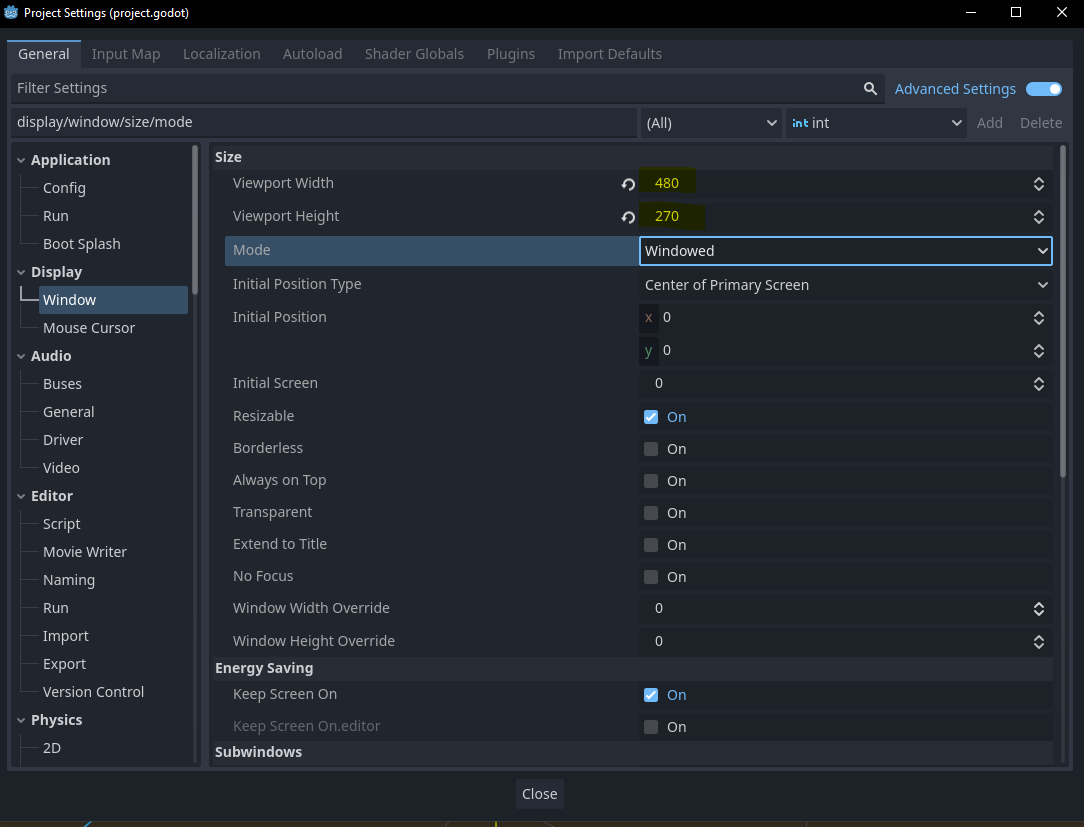
This will render a small 480x270 window which you need to stretch out after every run of the game, so set Window Width Override to 1280 and Window Height Override to 720 (or whatever's appropriate for your display).

Scroll down to the Stretch subheading. Set mode to Viewport - you're
stretching the entire viewport out. Set Scale Mode to Integer - this will prevent
sub-pixel stretching, e.g. you won't stretch your pixels 2.5 times and end up with
some interpolated garbage.

Choose Textures under Rendering (left nav of project settings). Set Default Texture Filter to Nearest (ensures pixel art remains crisp).

That should be it!
Created: 2024-06-16